English
Database Audit
Overview
Starting from v3.0.0, Next Terminal introduces MySQL protocol-level audit capabilities for enterprise-grade database security management.
Core Features
- Protocol-level interception of DML/DDL statements
- Query passthrough: all SELECT statements are allowed by default
- Work Order approval flow for risky changes (INSERT/UPDATE/DELETE/DDL)
- Complete operation logs for audit traceability
Configuration Steps
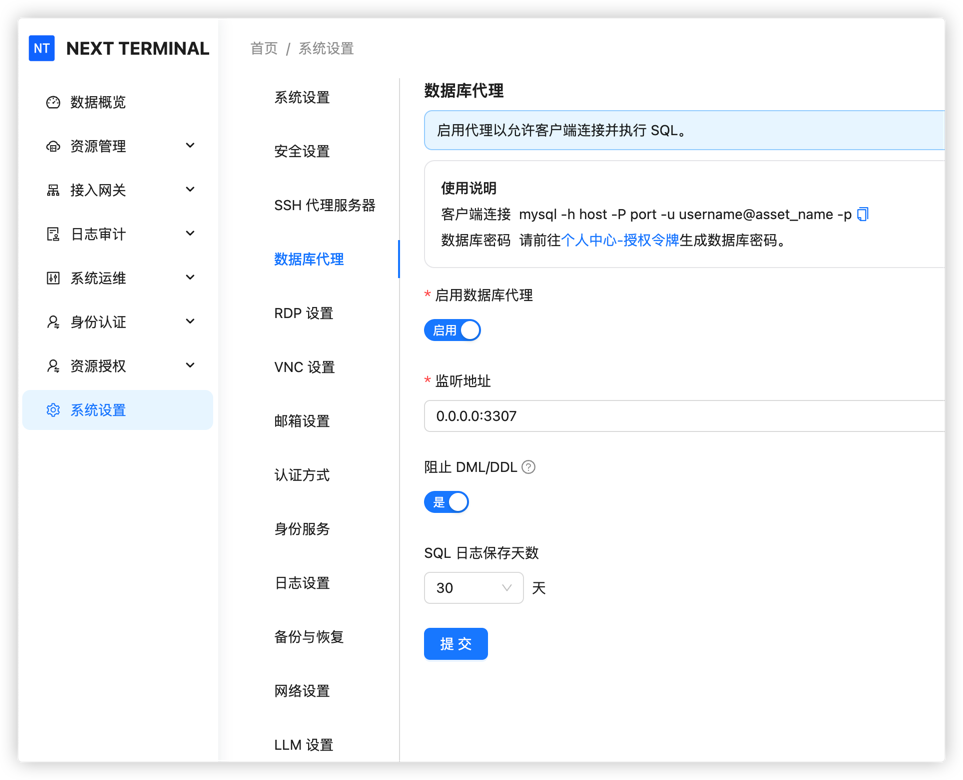
1. Enable Database Proxy
Go to system settings and enable the Database Proxy option.
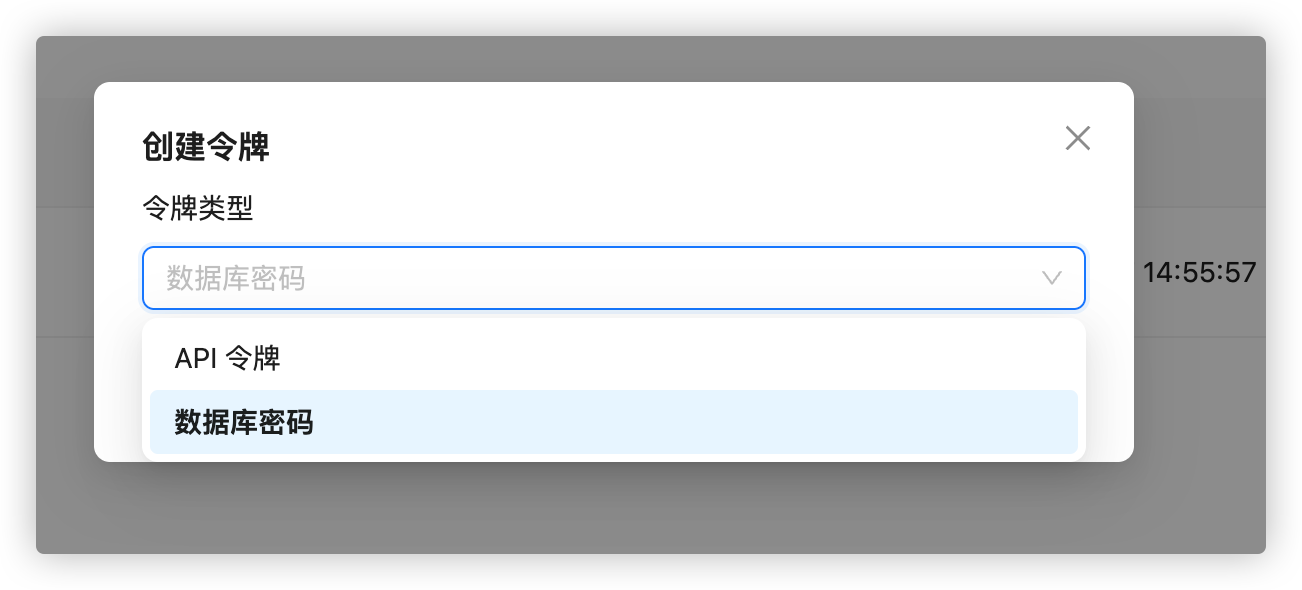
2. Create database password
In Personal Center, create a token and choose database password.
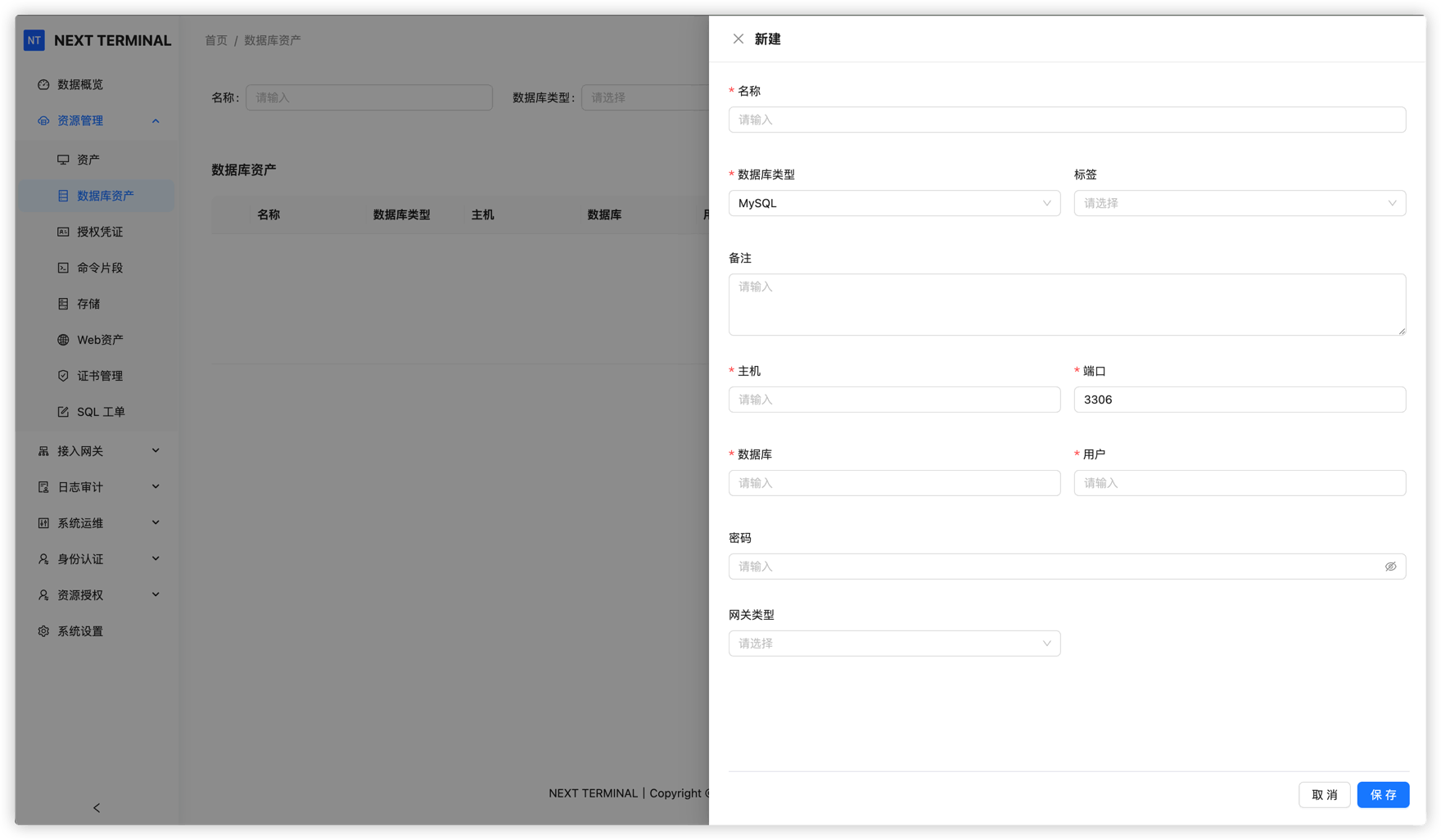
3. Add database asset
Create a database asset in Asset Management:
- Fill connection info (host, port, database name, etc.)
- Gateway-based access is supported
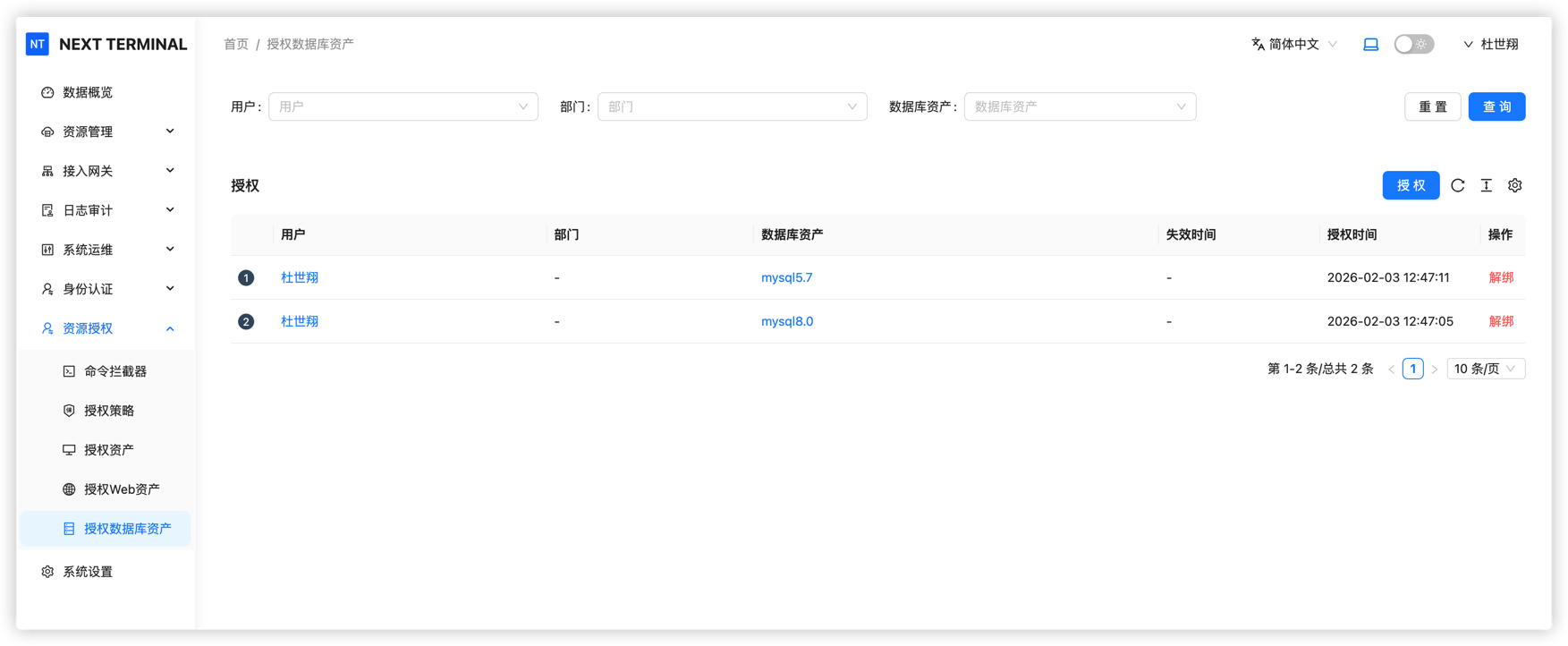
4. Configure user permissions
Configure authorization in resource permissions:
- Grant permissions per user
- Grant permissions by department
Daily Usage
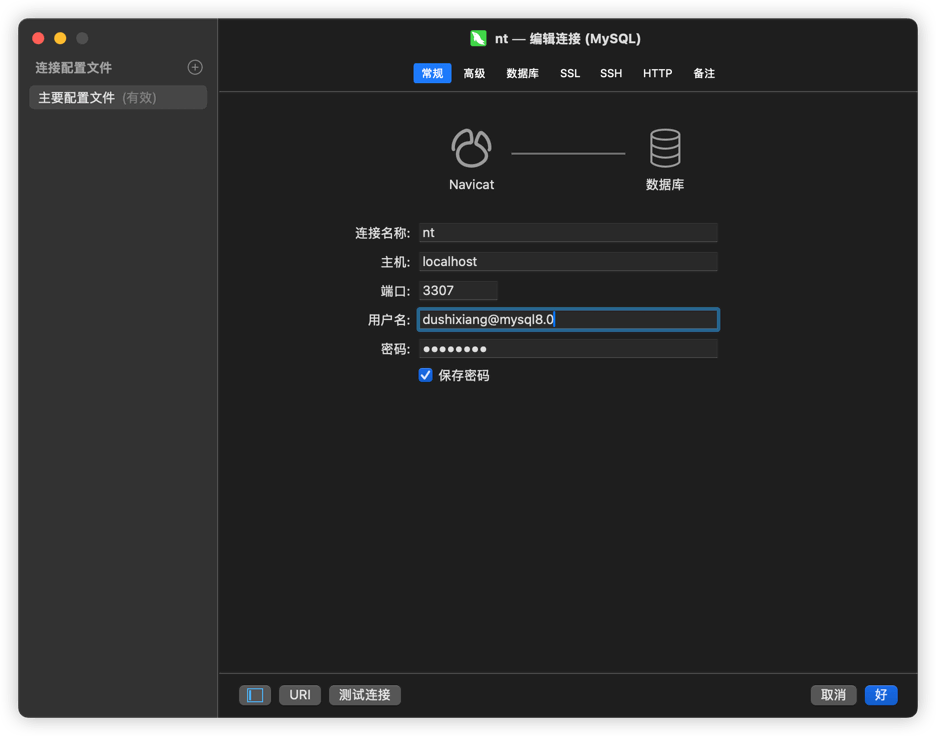
Connect to database
Use any MySQL client tool (Navicat, DataGrip, MySQL Workbench, etc.).
mysql -h host -P port -u username@asset_name -p
host: IP of the Next Terminal serverport: Database Proxy port configured in the web consoleu:next_terminal_username@asset_name
(Use account, not display nickname.)p: database password configured in Personal Center
(Each user has a different password.)
Run queries
All SELECT statements are allowed with no restriction.
Run change operations
When executing DDL (CREATE, ALTER, DROP) or DML (INSERT, UPDATE, DELETE), the operation is blocked and a Work Order is required.
Work Order Flow
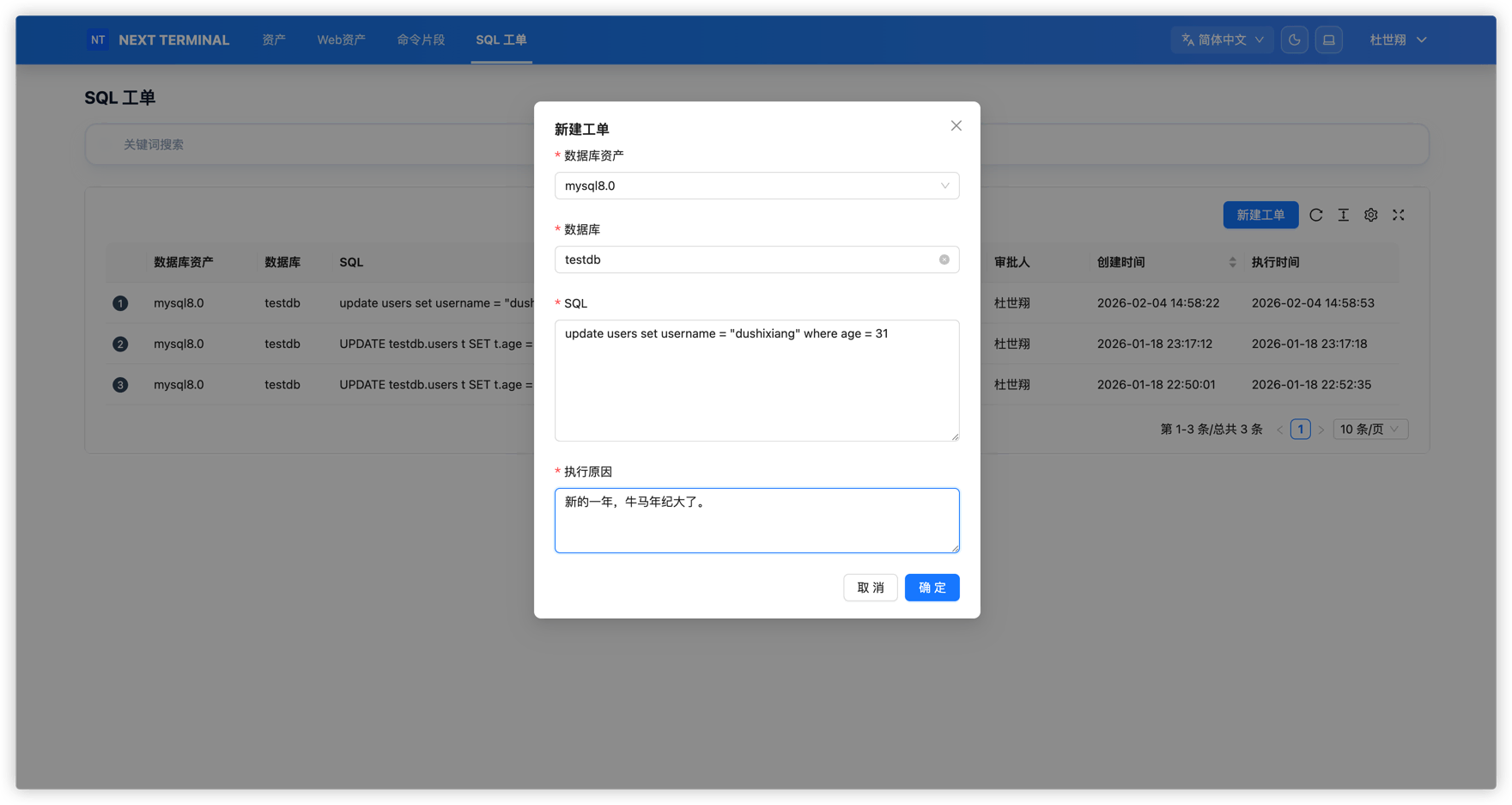
Create Work Order
When data changes are required, create an SQL Work Order:
- Select target database
- Enter SQL statement
- Add change description and reason
- Submit for approval
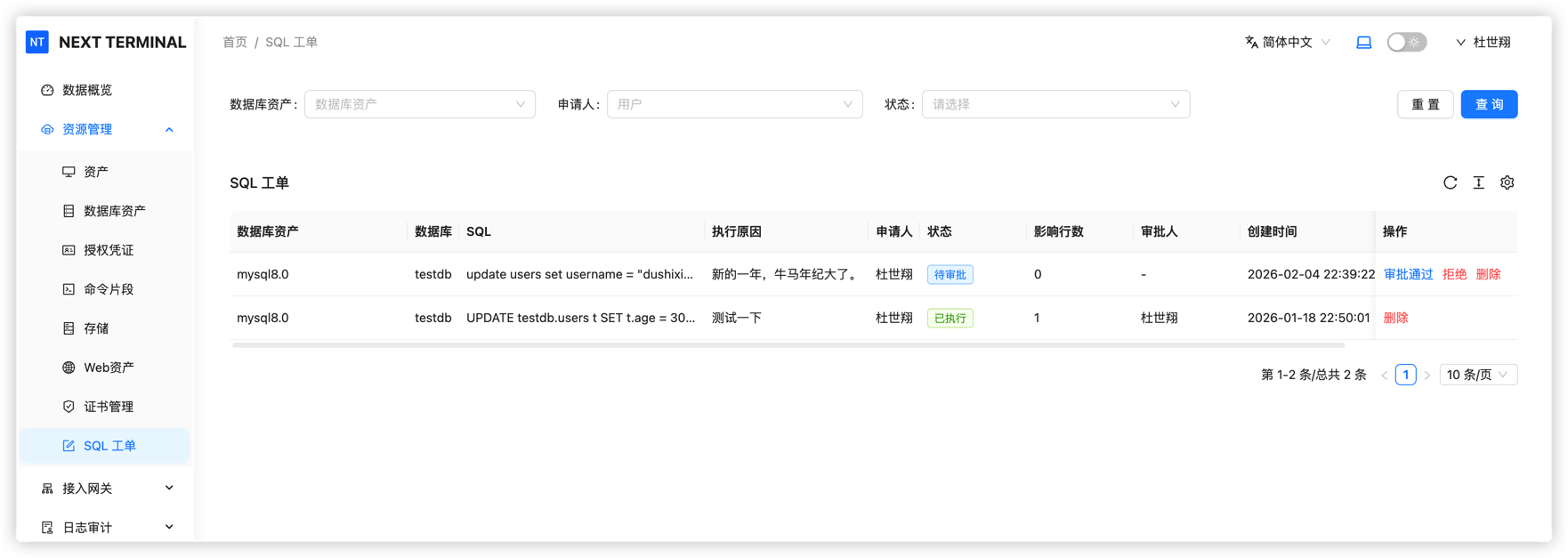
Approval and execution
- Admin review: administrator reviews Work Order content
- Automatic execution: SQL runs automatically after approval
- Execution feedback: result is sent back to requester
Audit Logs
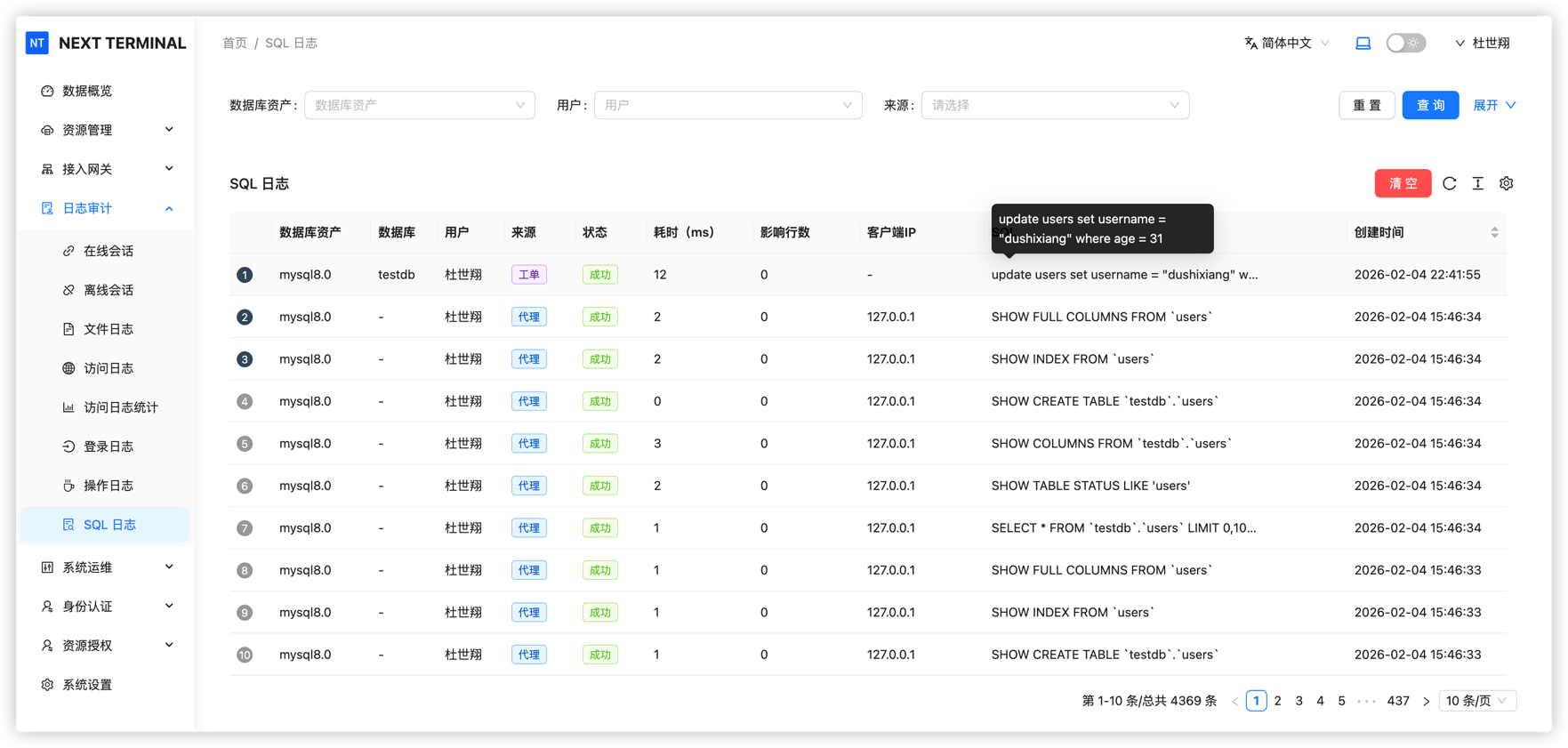
View execution records
System records all SQL execution logs, including:
- Execution time
- Executing user
- SQL statement
- Result (success, failure, intercepted)
- Affected rows
Admins can use these logs for security auditing and incident tracing.
Security Benefits
With database audit, Next Terminal provides:
- ✅ Protection against accidental operations
- ✅ Permission isolation: normal users query only, changes need approval
- ✅ Full traceability
- ✅ Compliance support for enterprise database operations